Best GaN Chargers: The 5 We'd Use to Power a Whole Rig's Kit (2026)
A bag with a brick for the laptop, another for the phone, and a third for the tablet is the kind of clutter a van or a boat has no room for, and a GaN charger fixes it: one small block, off the inverter or shore power, fast-charges the whole kit at once. The catch nobody explains is the wattage. The number on the box is a total budget shared across the ports, not the power each one gets, so the right size is the one that covers everything you charge at once. We don't run a lab. We read the owner-review signal across Amazon and the manufacturer specs, weighted for the mobile worker, and ranked five for 2026 from a $30 pocket brick to a $75 eight-port desk station. We do the power-sharing math so the headline watts can't fool you, we match each one to a real laptop, and we name what each is for.
- 01 Anker Prime 100W , top pick, smart power-sharing keeps the laptop fast under a full load
- 02 UGREEN Nexode 100W , value runner-up, four ports and the deepest reviews for $17 less
- 03 Anker Nano 65W , best value, a tiny one-port brick that fast-charges an ultrabook
- 04 Anker 140W , the high-wattage pick, 140W for a 16-inch MacBook Pro plus devices
- 05 UGREEN Nexode 200W , an eight-port desk station for a fixed rig desk on shore power
How they compare.
| Rank | Product | Best for | Price | Our score |
|---|---|---|---|---|
| 01 | Anker Prime 100W (3-port)
Top Pick
| Laptop + devices at once, fast | $60
Buy → | 8.8/10 |
| 02 | UGREEN Nexode 100W (4-port) | Value 100W, most-reviewed | $43
Buy → | 8.6/10 |
| 03 | Anker Nano 65W (1-port) | Cheapest, smallest, one device | $30
Buy → | 8.5/10 |
| 04 | Anker 140W (4-port) | 16-inch MacBook Pro power user | $80
Buy → | 8.4/10 |
| 05 | UGREEN Nexode 200W (8-port) | Fixed desk hub, shore power | $75
Buy → | 8.2/10 |
Prices are current Amazon prices at time of publication and can change. Scores reflect our editorial evaluation, not vendor input.
Our #1 pick: Anker Prime 100W 3-Port GaN Charger.
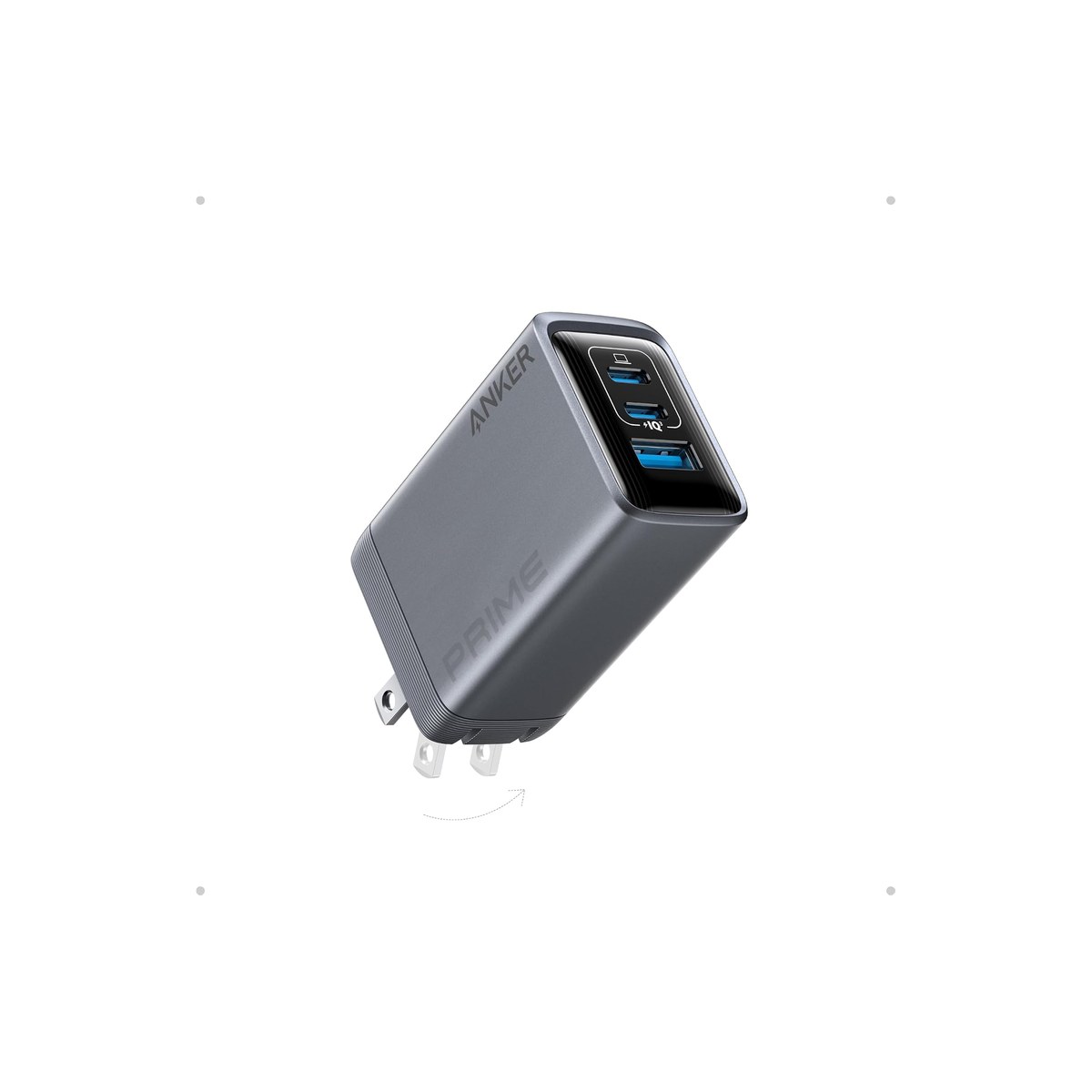
Anker Prime 100W 3-Port GaN Charger
One small brick whose smart chip keeps your laptop fast under a full load.
Who it's for: the mobile worker who wants one brick to fast-charge the laptop and the phone at the same time without the laptop slowing to a crawl. The do-it-all pick for someone who works off shore power or the inverter and is tired of carrying a charger per device, who plugs in a 14 or 16-inch laptop plus a phone every evening and wants both topped up by morning, and would rather buy one good charger than a drawer of bricks.
What we found: this is the brick that handles a full load gracefully. It has two USB-C ports and a USB-A, delivers up to 100W to a single laptop, and its GaNPrime chip is the differentiator: when you add a phone or earbuds, it reallocates power intelligently instead of starving the laptop, which is the failure mode of cheaper chargers. It is small enough to forget in a bag, runs cool, and at 4.7 stars across more than 2,500 reviews it is well proven. The honest catch is price: at $60 it costs more than the value picks, and you are paying for the smart power-sharing, not extra ports.
Bottom line: if you regularly charge a laptop and other devices at the same time off limited rig power, buy this one, because it is the brick that keeps the laptop fast when the ports fill up. It replaces a bag of chargers with one small block. Save $17 with the UGREEN below if you usually charge one thing at a time; step up to the 140W Anker for a 16-inch MacBook Pro at full speed.
- + Two USB-C ports plus USB-A, up to 100W to a single laptop
- + GaNPrime chip reallocates power to keep the laptop fast when other devices plug in
- + Small and cool-running, replaces a bag of bricks with one block
- + 4.7 stars across more than 2,500 reviews
- × At $60 it costs more than the value picks
- × You pay for smart power-sharing, not for extra ports
- × 100W single-port output needs a 5A USB-C cable to hit full speed
Runner-up: UGREEN Nexode 100W 4-Port GaN Charger.
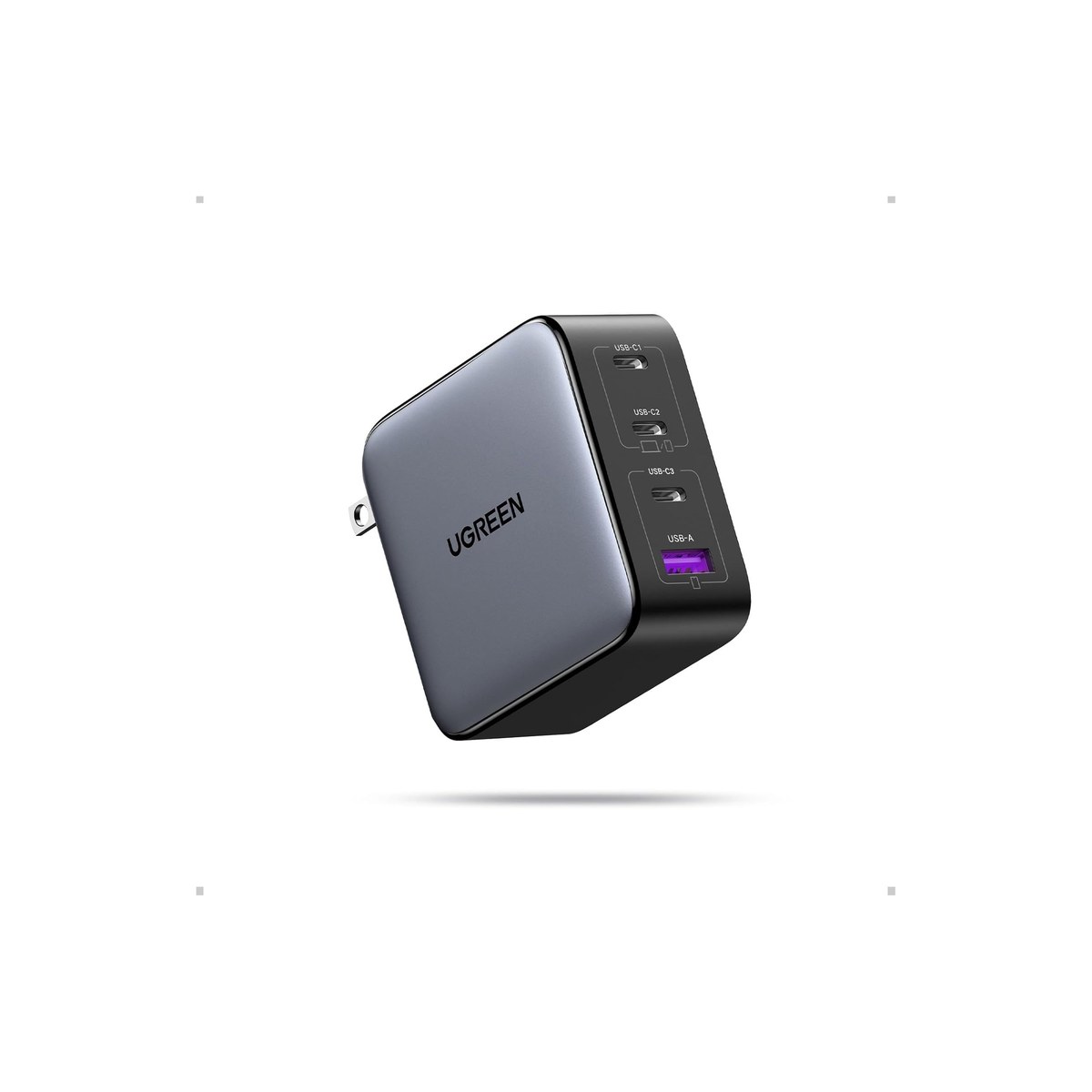
UGREEN Nexode 100W 4-Port GaN Charger
Four ports and the deepest reviews here, for seventeen dollars less.
Who it's for: the value buyer who wants a 100W four-port charger for the rig and does not need the absolute smartest power-sharing. The pick for someone who mostly charges one device at a time, or who accepts a slower laptop when every port is busy, in exchange for an extra port and seventeen dollars saved. A strong default for a couple living in a rig who need four ports for two phones and two laptops overnight.
What we found: the UGREEN matches the top pick's 100W and adds a fourth port for less. It has three USB-C ports and a USB-A, delivers a full 100W to a single device with a 5A cable, and folds flat for a bag. At 4.6 stars across more than 10,800 reviews it is the most-proven charger in this guide, by a wide margin, and the most affordable 100W here. The real difference from the Anker Prime is power-sharing under load: when you charge a laptop and a phone together it splits more bluntly, so the laptop slows more than it does on the Anker's smart chip.
Bottom line: the value buy and the one to get if price and reviews matter most, or if you usually charge a single device at a time. It is the same 100W, an extra port, and the deepest track record here for $17 less than the top pick. Step up to the Anker Prime if you routinely charge a laptop plus other devices and want the laptop to stay fast; drop to the Nano 65W if one port is all you need.
- + 100W and four ports (three USB-C, one USB-A), one more than the top pick
- + More than 10,800 reviews, the most-proven charger here, for $43
- + Folds flat for a bag
- + Full 100W to a single device with a 5A cable
- × When a second device plugs in, the laptop's share drops toward 65W, where the Anker's chip holds it higher
- × No smart display or per-port readout
- × 100W single-port needs a 5A USB-C cable
Budget pick: Anker Nano 65W GaN II Charger.
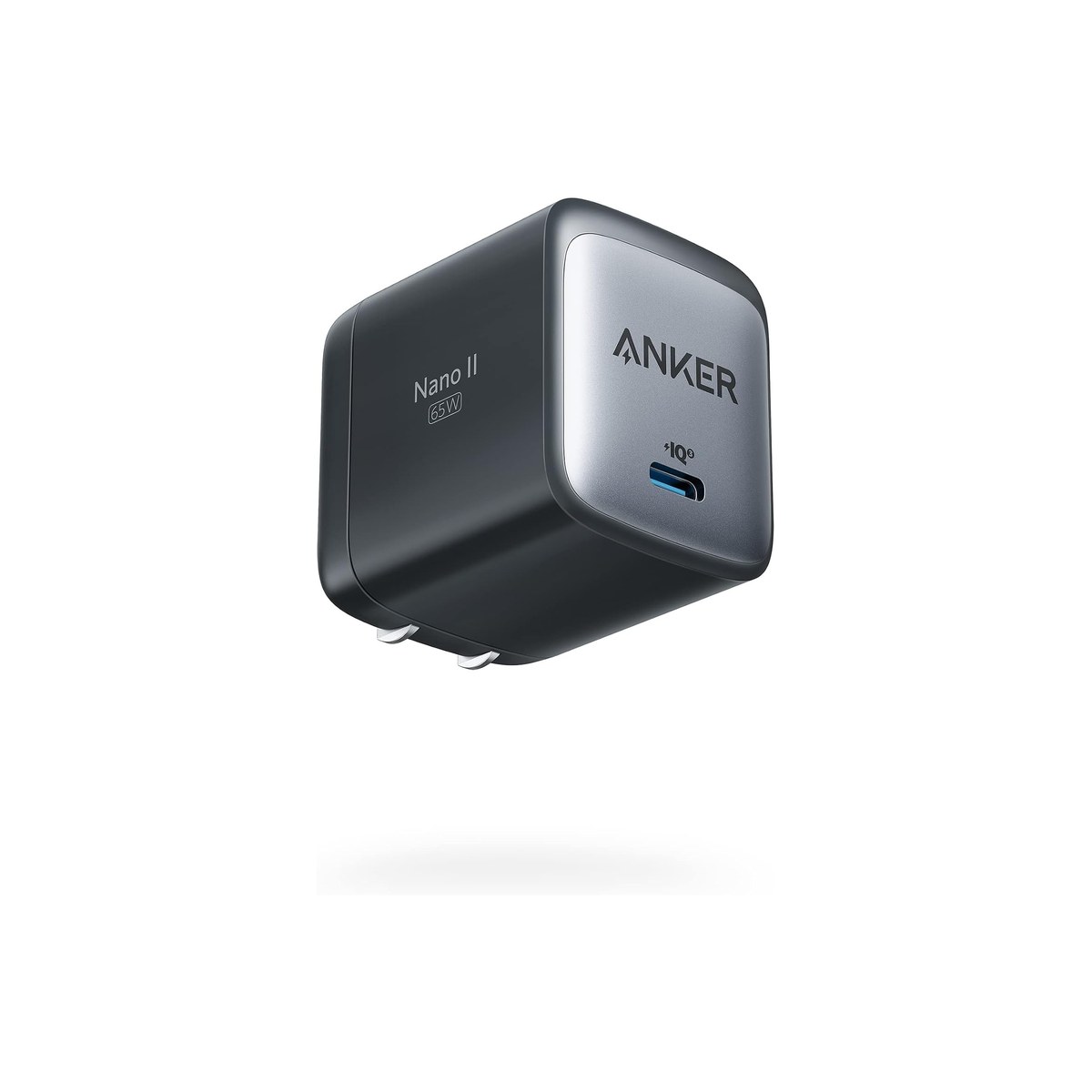
Anker Nano 65W GaN II Charger
A tiny one-port brick that charges an ultrabook and lives in a pocket.
Who it's for: the minimalist who carries one device and wants the smallest, cheapest brick that still fast-charges a laptop. The pick for someone running an ultrabook or a MacBook Air plus a phone, who charges them one at a time and wants a charger that vanishes into a pocket or a glovebox. Also the smart second charger to leave in the rig so you never pack one.
What we found: the Nano 65W is the everyday default of the category. It is a single-port foldable brick small enough to disappear in a bag, yet 65W is enough to fast-charge a MacBook Air or most ultrabooks, plus any phone or tablet. At 4.8 stars across more than 7,200 reviews it is the highest-rated and one of the most-proven picks here, and at $30 it is a third the price of the premium bricks. The honest limit is in the name: one port and 65W, so it tops up a 16-inch MacBook Pro slowly and cannot run two devices at once.
Bottom line: the value pick and the right charger for one device at a time, which is most people most of the time. It fast-charges an ultrabook and a phone for $30 and weighs nothing. Step up to a 100W multi-port if you need to charge a laptop and a phone together, or run a power-hungry 16-inch laptop; otherwise this is all the charger a light traveler needs.
- + Tiny single-port foldable brick that disappears in a bag
- + 65W fast-charges a MacBook Air, most ultrabooks, and any phone or tablet
- + 4.8 stars across more than 7,200 reviews, the highest-rated here
- + $30, a third the price of the priciest bricks
- × One port, so it cannot charge two devices at once
- × 65W tops up a 16-inch MacBook Pro slowly
- × No USB-A, USB-C only
Also worth considering.
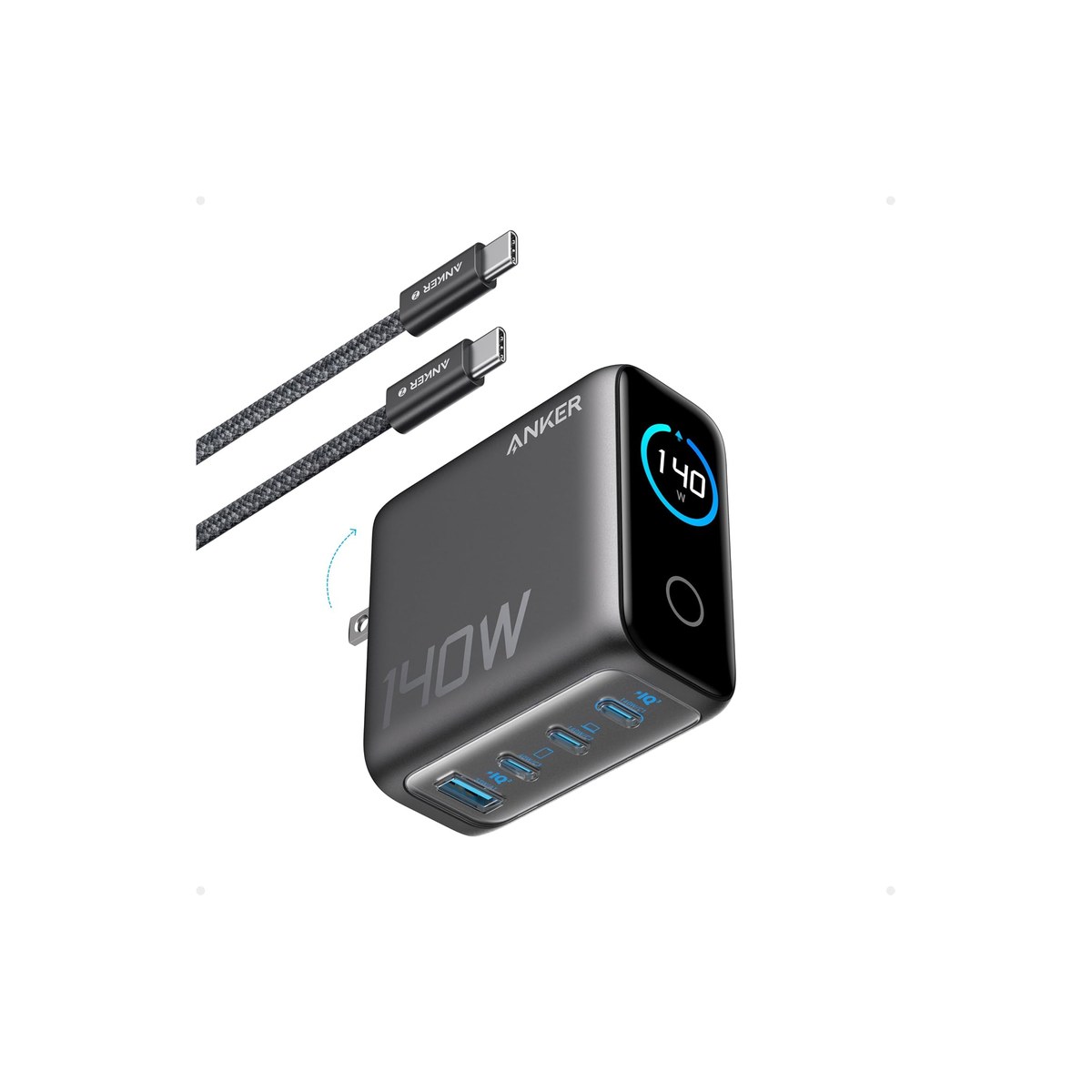
Anker 140W 4-Port GaN Charger
The 140W brick for a 16-inch MacBook Pro and a deskful of devices.
Who it's for: the power user running a 16-inch MacBook Pro or a workstation laptop that wants 140W, plus a phone and more, all at once. The pick for the heaviest-laptop crowd who will not accept a slow charge, and who wants room to charge several devices without throttling the big one.
What we found: the Anker 140W is the most powerful brick of the group, four ports including dual high-speed USB-C, a smart display that shows the watts per port, and enough headroom to drive a 140W laptop while a phone and earbuds charge alongside. At 4.5 stars across about 3,000 reviews it is well proven. For this audience the catch is that it is overkill unless you actually run a 140W laptop: at $80 it is the priciest portable here, and most rigs do fine on a 100W charger for less.
Bottom line: worth it only if you run a 16-inch MacBook Pro or a workstation laptop at full speed and charge other devices at the same time. For everyone else the 100W top pick charges the same gear for $20 less. Buy the 140W when the biggest laptop in the rig demands it, not before.
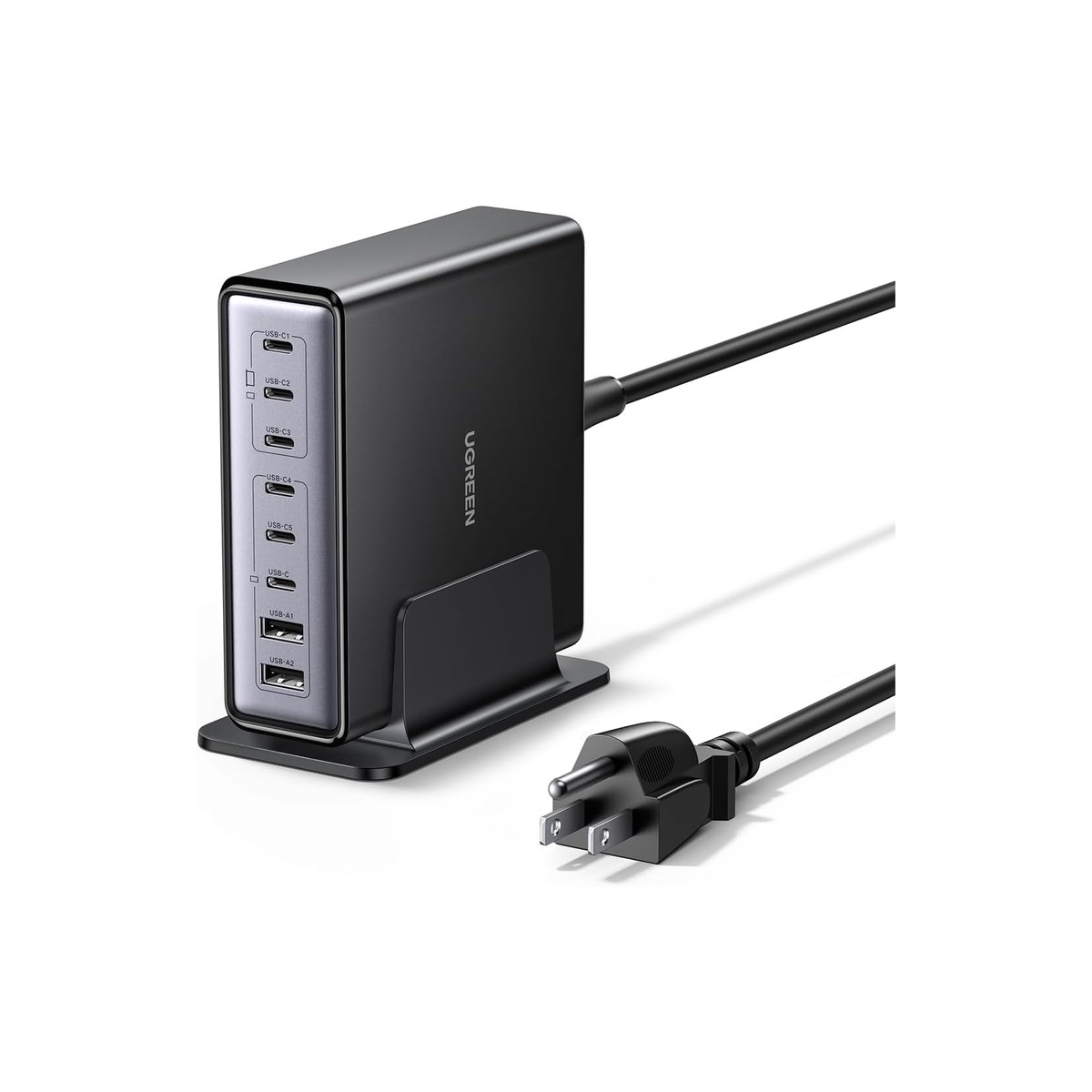
UGREEN Nexode 200W 8-Port GaN Desktop Charger
An eight-port desk station that charges the whole rig on shore power.
Who it's for: the liveaboard or full-timer with a fixed desk or nav station on shore power who wants to charge the whole household's devices from one outlet. The pick for a stationary hub, not a carry: two laptops, two phones, a tablet, and earbuds all topped up overnight from a single plug.
What we found: the UGREEN 200W is an eight-port desktop station, not a travel brick, and that is the point: 200W total across the ports, up to 100W to a single laptop, enough to keep a small crowd of devices charged at once. It frees up the scarce outlets a rig has by consolidating everything to one. The honest caveats are that it is the newest pick here, with about 330 reviews rather than thousands, so it is the pick we have the least proven confidence in, and that it needs a steady AC source, so it suits shore power or a running inverter, not boondocking on the battery alone.
Bottom line: the pick for a fixed rig desk with reliable power and a lot of devices, where one eight-port station beats a tangle of bricks. It is overkill for a solo traveler with a laptop and a phone, who is better served by the Nano or a 100W pick. Buy it for the nav station, not the backpack.
Skip this guide if...
You already carry a single charger that fast-charges your laptop and you only ever charge one device at a time. If your laptop's own brick is recent and compact and you are happy topping the phone separately, a GaN charger is a nice-to-have, not a need. It earns its place when you are tired of a brick per device, short on the one or two outlets a rig has, or charging a laptop and a phone at the same time off the inverter.
Don't bother with.
- × Skip A 30W charger for a laptopA small 30W or 45W GaN charger is perfect for a phone or a tablet, but it will not fast-charge most laptops; a MacBook Air wants 65W, a 14-inch Pro wants 100W, and a 16-inch Pro wants 140W. Plugging a laptop into a 30W charger trickle-charges it, often slower than it drains under use. Match the charger's wattage to the laptop's own brick, and treat the tiny chargers as phone-and-tablet tools.
- × Skip Assuming a multi-port charger gives full watts to every portThis is the mistake that fills the reviews with one-star surprises. A 100W three-port charger gives 100W to one device alone, but the total splits when you plug in more, so two devices might see 65W and 30W, and a third even less. Read the per-combination spec, not just the big number, and size the total so your worst-case simultaneous load still fits. When in doubt, buy more total wattage than you think you need.
- × Skip A cheap no-name GaN charger to save a few dollarsGaN runs cooler than old silicon, but a poorly-made charger still gets hot, overstates its wattage, and in the worst cases skips the safety certification that protects your laptop and your rig's wiring. The few dollars saved are not worth a charger that runs warm against soft furnishings in a closed cabin. Stick to the proven brands with deep review records and look for UL or equivalent certification.
How we picked.
How we picked, and why we don't claim to test
We don't run a lab. We read the owner-review signal across Amazon and the manufacturer spec sheets, weighted for the mobile worker rather than the office desk, and ranked five chargers by what decides whether one earns its place in a rig: total wattage versus the devices you charge at once, how the power splits across the ports, size and weight, and whether it matches your laptop. We verified every pick in stock with a current price the day we published.
The power-sharing math: the number that fools people
The one number that fools people is the wattage on the box. It is a total budget shared across the ports, not the power each port gets. A 100W three-port charger delivers the full 100W to a single laptop, but plug in a phone and the total splits, maybe 65W to the laptop and 30W to the phone, and a third device takes more still, which is why so many reviews say they only saw 65W with two things plugged in.
So size the total to your worst case. If you ever charge a 65W laptop, a phone, and earbuds at the same time, you want at least 100W total, not a 65W charger. Two chargers also handle the split differently: a smart chip like Anker's GaNPrime reallocates power to keep the laptop fast, while a simpler charger throttles the laptop the moment a second device joins. And a 100W charge needs a 5A USB-C cable, because a 60W cable caps it at 60W, the same cable rule as a laptop power bank or a dock.
GaN, gallium nitride, is why these chargers are small: it switches faster and runs cooler than the silicon in old bricks, so a 100W GaN charger is about the size of an old 30W one, and that size cut is the whole reason it suits a rig. One thing it is not is a power source: a GaN charger needs shore power or the inverter, so it is the partner to a laptop power bank, which stores the off-grid charge, and to a 12V car adapter for charging while you drive.
What our scores mean, and a note on the picks
Our scores reflect how consistent the owner signal is, weighted for mobile use, not lab tests. Two of the brands here repeat because Anker and UGREEN genuinely dominate the deep-reviewed GaN field: at our bar of a few thousand reviews and 4.5-plus stars for a carry pick, the alternatives we checked (Baseus, Satechi, Spigen) either have thinner review records or more heat and quality complaints, so we pick the best per role from the two that clear it and name the cheaper alternative on each. One honest note on the ranking: the UGREEN Nexode 100W has far more reviews than our top pick (more than 10,800 versus 2,500) and costs $17 less, but the Anker Prime earns the top slot on power-sharing, its smart chip keeps a laptop fast when several devices share the load where the UGREEN throttles it, and it rates a touch higher. If you charge one device at a time or want pure value, the UGREEN is the buy. The desktop 200W station is the newest pick with the thinnest reviews, which we flag rather than hide.
FAQs.
Q01 What is a GaN charger, and is it better?
+
Q02 How many watts do I need to charge my laptop?
+
Q03 Does a 100W charger give 100W to every port?
+
Q04 Can one GaN charger replace all my chargers?
+
Q05 Will a GaN charger work off-grid in a van or on a boat?
+
Q06 Do I need a special cable for a 100W GaN charger?
+
Q07 GaN charger or a regular USB-C charger, what is the difference?
+
Q08 Is a compact 65W GaN charger enough?
+
If you, then this.
- IF you charge a laptop and other devices at once and want the laptop to stay fastGET Anker Prime 100W (3-port)$60 →
- IF you want a 100W four-port charger for the least money, mostly one device at a timeGET UGREEN Nexode 100W (4-port)$43 →
- IF you carry one device and want the smallest, cheapest brickGET Anker Nano 65W$30 →
- IF you run a 16-inch MacBook Pro at full speed plus several devicesGET Anker 140W (4-port)$80 →
- IF you want a fixed-desk station to charge the whole rig on shore powerGET UGREEN Nexode 200W (8-port)$75 →
Work-from-Anywhere Gear: The Complete Guide
The whole mobile-office picture →Every system in a work-from-anywhere setup, organized in one place, with the foundation every remote worker needs and the one guide we trust for each.
- USB Power Delivery (charging power negotiation) · USB Implementers Forum
- USB Type-C cable and connector spec (5A cable current rating) · USB Implementers Forum