Best Laptop Stands: The 5 We'd Raise a Screen With in a Van, RV, or Boat (2026)
Working from a van, an RV, or a boat usually means hunching over a laptop on a dinette table, and a day of that is what wrecks your neck and shoulders. A laptop stand fixes it by raising the screen to eye level, but only if you know the catch most listings skip: once the screen is up, the built-in keyboard is out of reach, so a stand only works paired with an external keyboard and mouse. We don't run a lab. We read the owner-review signal across Amazon and the manufacturer specs, weighted for the mobile worker, and ranked five from a $10 riser with 27,000 reviews to a $90 ultralight that folds to a baton. We weigh how high it lifts the screen, how flat it packs for a rig, and how steady it sits on a moving cabin's table, and we name what each one is for.
- 01 Nulaxy , top pick, sturdy aluminum riser that lifts to eye level and folds flat, $20
- 02 Roost V3 , premium ultralight, folds to a baton and lifts highest, for grams-counters
- 03 ivoler , best value, the cheapest way to eye level and the most-reviewed here
- 04 MOFT , ultra-thin sheet that sticks to the laptop and packs to nothing
- 05 Lamicall , heavy-duty riser for big, heavy 17-inch laptops
How they compare.
| Rank | Product | Best for | Price | Our score |
|---|---|---|---|---|
| 01 | Nulaxy Aluminum Laptop Stand
Top Pick
| All-round value, sturdy + folds flat | $20
Buy → | 8.8/10 |
| 02 | Roost V3 | Ultralight travel, smallest fold | $90
Buy → | 8.6/10 |
| 03 | ivoler 6-Angle Stand | Cheapest eye level, normal laptop | $10
Buy → | 8.5/10 |
| 04 | Lamicall Adjustable Stand | Heavy 17-inch laptops, fixed desk | $36
Buy → | 8.4/10 |
| 05 | MOFT Adhesive Stand | Lightest kit, lives on the laptop | $25
Buy → | 8.2/10 |
Prices are current Amazon prices at time of publication and can change. Scores reflect our editorial evaluation, not vendor input.
Our #1 pick: Nulaxy Ergonomic Aluminum Laptop Stand.
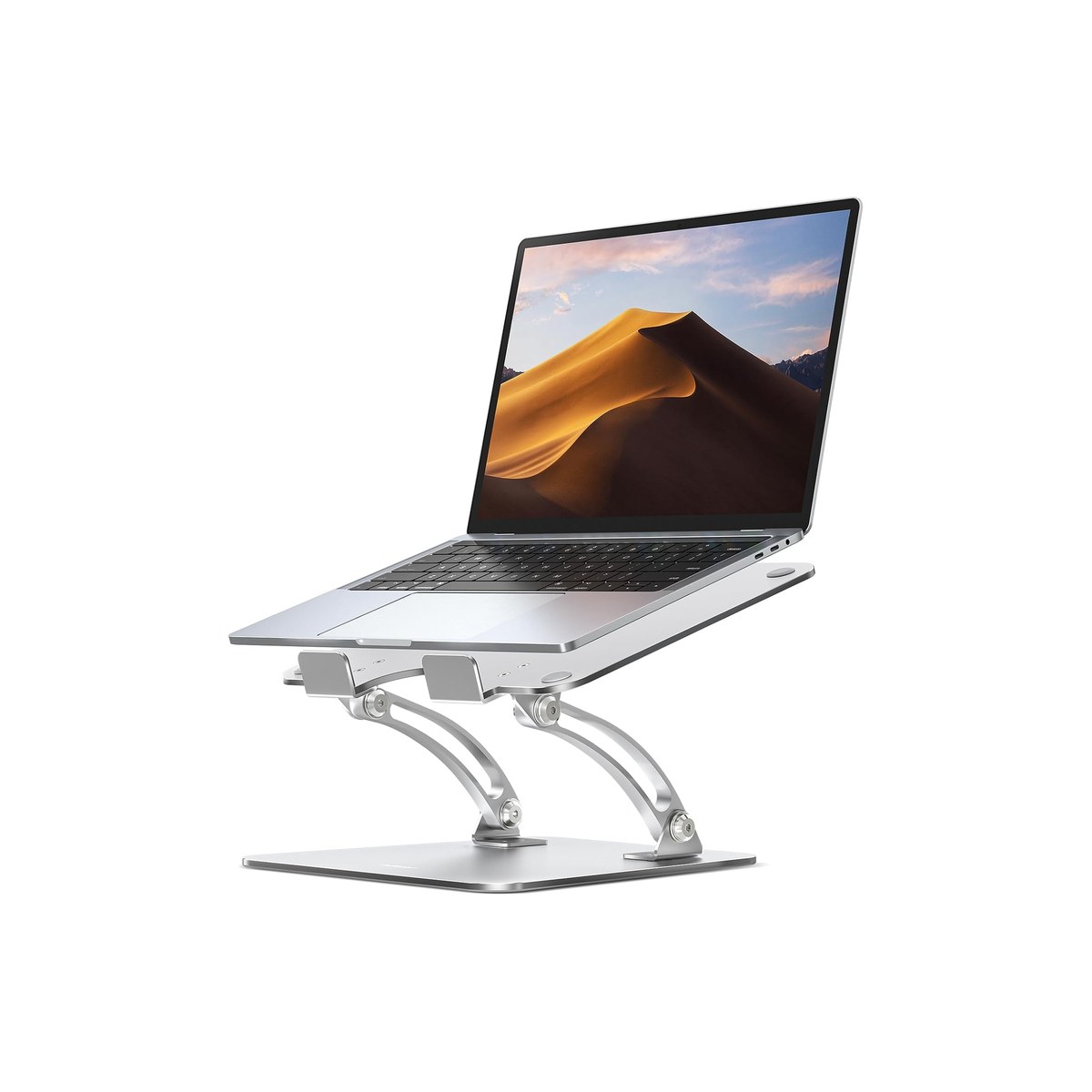
Nulaxy Ergonomic Aluminum Laptop Stand
A sturdy aluminum riser that lifts the screen to eye level and folds flat.
Who it's for: the van, RV, or boat worker who does real hours on a laptop and wants the screen up at eye level without spending much, in something that folds flat and travels. The do-it-all pick for someone setting up at the dinette or the nav station day after day, who wants a stand sturdy enough for a 16-inch laptop on a table that occasionally rocks, and would rather buy once and cheap.
What we found: this is the most stand for the least money. The dual-rod aluminum frame is noticeably steadier than the single-hinge risers it competes with, which matters on a rig's table, and it adjusts through a wide range of heights and angles to put the screen at eye level for most people. It folds reasonably flat for a bag, vents heat off the laptop, and fits machines from 10 to 17 inches. At 4.8 stars across more than 16,000 reviews it is one of the most-proven stands on Amazon, and at $20 it undercuts almost every aluminum riser worth buying.
Bottom line: if you want one stand that gets the screen to eye level, holds steady in a rig, and costs almost nothing, buy this one. Pair it with an external keyboard and mouse and your neck stops paying for the day. Step up to the Roost if you count grams and want it to fold smaller; drop to the ivoler at half the price if you want the cheapest option and run a laptop under about 15.6 inches.
- + Dual-rod aluminum frame, steadier than single-hinge risers on a rig's table
- + Wide height and angle range to reach eye level for most people
- + Folds reasonably flat for a bag and vents heat off the laptop
- + 4.8 stars across more than 16,000 reviews, and only $20
- × Folds flatter than a Roost but is bulkier than a baton-style travel stand
- × Aluminum adds weight versus the featherweight stick-on options
- × Like any eye-level stand, it is useless without an external keyboard and mouse
Runner-up: Roost V3 Laptop Stand.
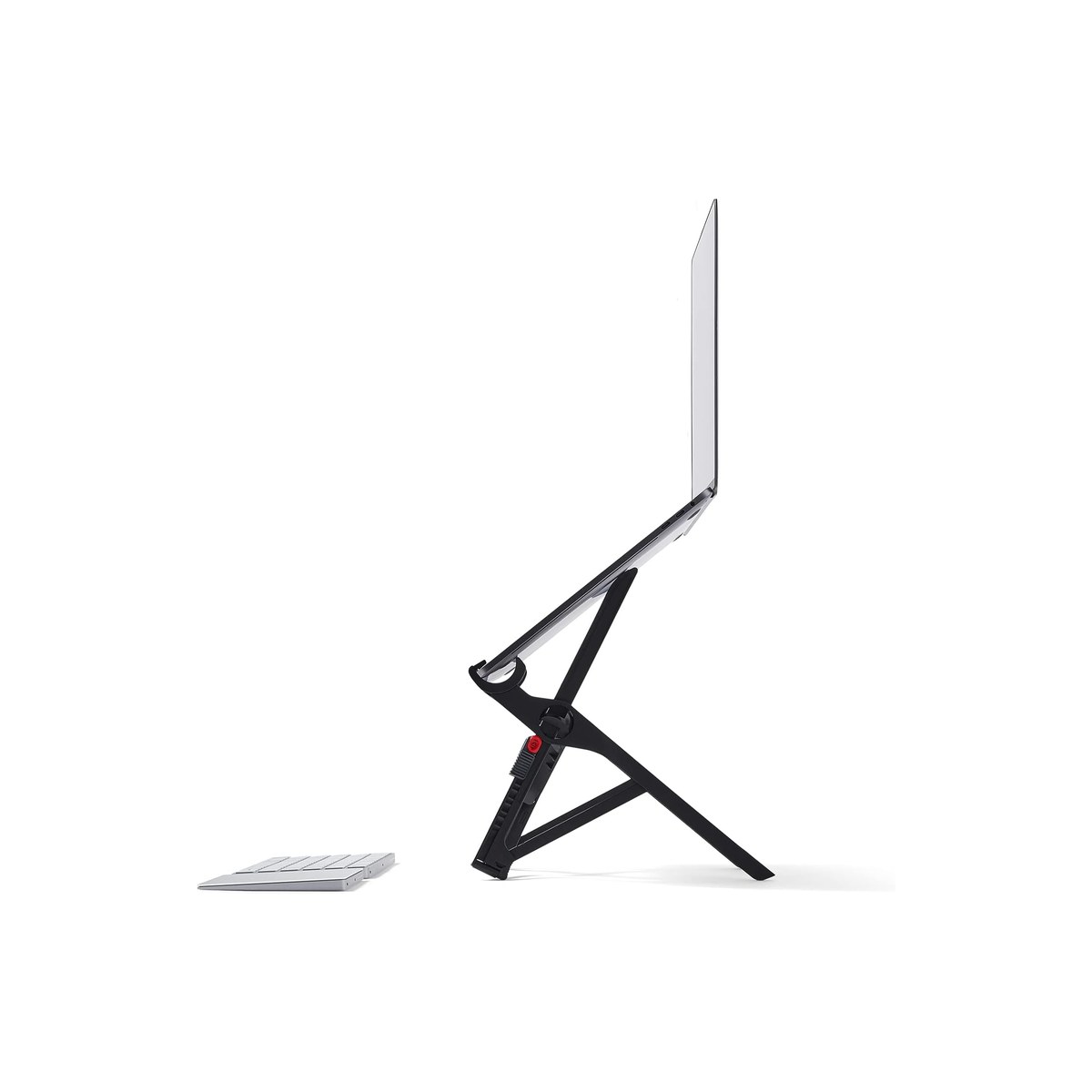
Roost V3 Laptop Stand
The premium ultralight: folds to a baton, lifts highest, about six ounces.
Who it's for: the minimalist nomad who counts every ounce and every inch of bag space, and wants the stand that disappears into a backpack. The pick for someone who moves often, a vanlifer breaking down the desk daily or a flyer living out of a carry-on, who will pay a premium for the lightest, smallest-folding stand that still lifts a screen to full standing-eye height.
What we found: the Roost is the nomad benchmark for a reason. It folds to a thin baton about the size of an umbrella and weighs roughly six ounces, the smallest, lightest pack of anything here, yet it lifts the screen from 6.5 to 12.5 inches, the widest range in the lineup and high enough to use standing. It is rigid with zero wobble once locked, and its own listing tells you to add an external keyboard and mouse, which is the honest truth for any stand this tall. At 4.8 stars across about 1,800 reviews the only real knock is the price.
Bottom line: worth the $90 only if portability is your top priority and you will feel the difference between six ounces and a pound in a pack you carry daily. For most rig workers the Nulaxy lifts the same screen for a quarter of the price and packs flat enough. Buy the Roost when your bag space and your shoulders are the budget that matters most.
- + Folds to a thin baton and weighs about six ounces, the smallest, lightest pack here
- + Lifts the screen 6.5 to 12.5 inches, the widest range and high enough to stand
- + Rigid with zero wobble once locked
- + 4.8 stars across about 1,800 reviews
- × At $90 it is by far the priciest stand here
- × No built-in keyboard tray, so an external keyboard is mandatory (the maker says so)
- × Two-handed lock to set height is fiddlier than a fixed riser
Budget pick: ivoler Laptop Stand (6-Angle).
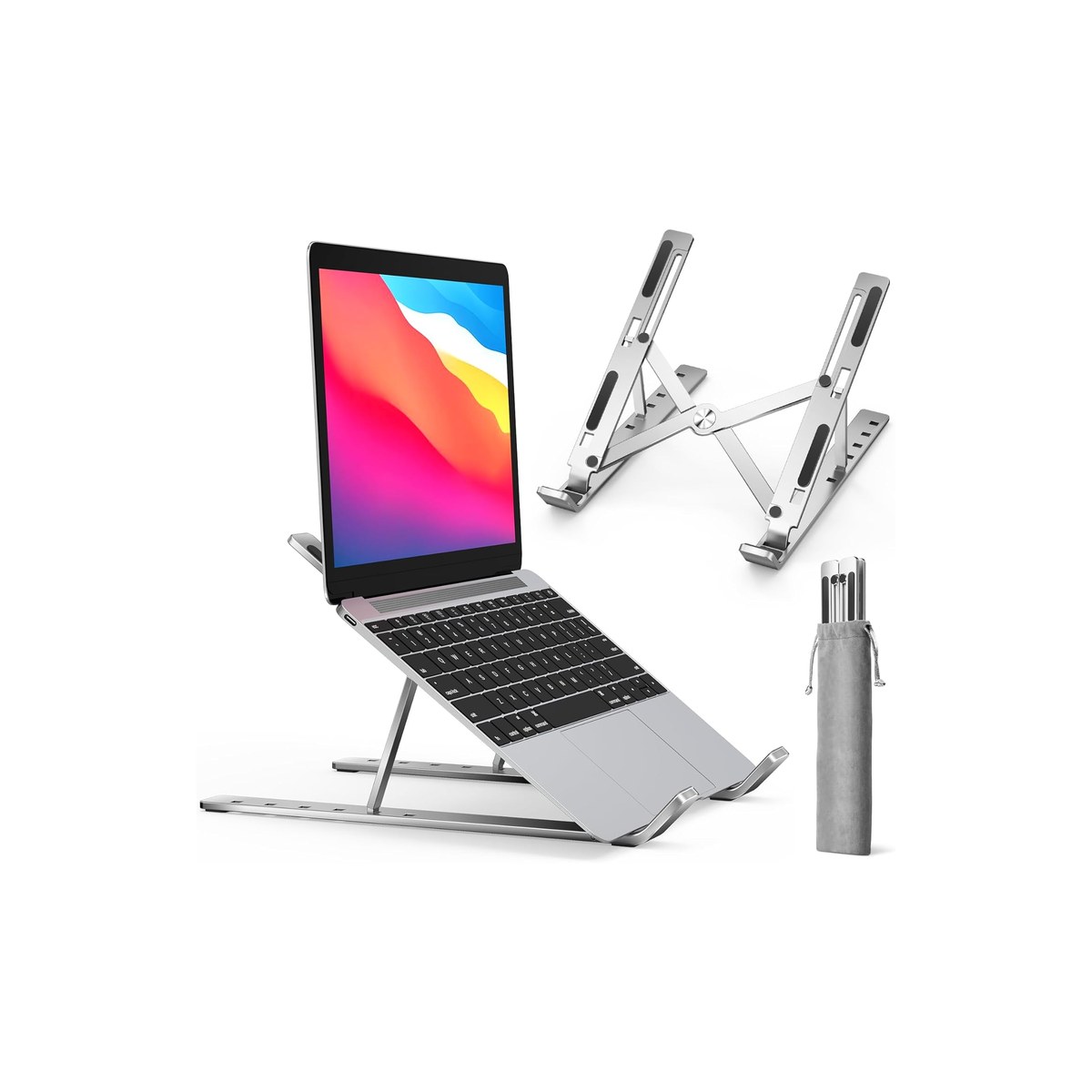
ivoler Laptop Stand (6-Angle)
The cheapest way to eye level, and the most-reviewed stand here.
Who it's for: the worker who wants out of the hunch for the least money possible, and runs a normal 13 to 15-inch laptop rather than a heavy desktop-replacement. The pick for the weekender or the new full-timer testing whether a raised screen even helps before spending more, and for anyone who would rather put $10 toward eye level and the rest toward a keyboard.
What we found: the ivoler is the budget surprise of the category. At $10 it is the cheapest stand here, and at more than 27,000 reviews it is also the most-reviewed of any pick, a 4.7-star track record that says a lot of people are happy. It is aluminum like the top pick, folds flat, offers six height angles, and gets a normal laptop up to a far better neck angle than the table. The honest limits versus the top pick are size range and stability: it is a lighter single-hinge stand built for laptops up to about 15.6 inches, so a heavy 17-inch machine is steadier on the dual-rod Nulaxy, and it does not climb as high either.
Bottom line: the value buy and the one to grab if price is the deciding factor and your laptop is a normal size. It rates a hair below the Nulaxy on rigidity, not on whether it works, and it has the deepest review record here. Spend the $10 you save on the external keyboard the stand needs anyway; step up to the Nulaxy or Lamicall for a big, heavy laptop.
- + The cheapest stand here at $10, and the most-reviewed of any pick
- + Folds flat and offers six height angles
- + Light enough to forget in a bag
- + 4.7 stars across more than 27,000 reviews
- × A lighter single-hinge build that tops out near 15.6 inches, so a heavy 17-inch laptop is steadier on the dual-rod Nulaxy
- × Does not climb as high as the Nulaxy or the Roost
- × Still needs an external keyboard and mouse to fix your neck
Also worth considering.
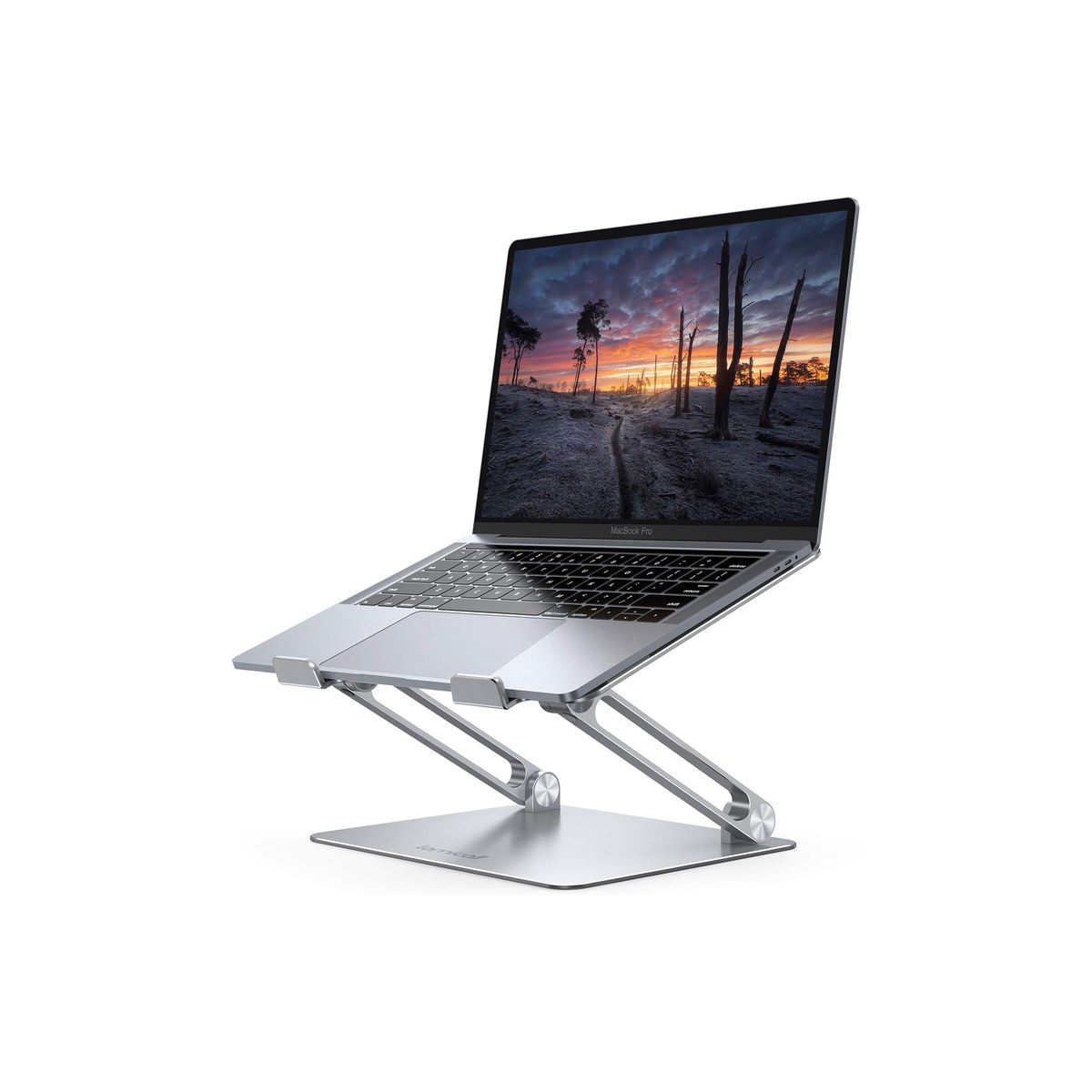
Lamicall Adjustable Laptop Stand
The heavy-duty aluminum riser for big, heavy 17-inch laptops.
Who it's for: the worker running a big, heavy 16 or 17-inch laptop who wants a riser that will not flex or creep under the weight. The pick for the desktop-replacement crowd and anyone who values a rock-solid single-arm aluminum stand at a fixed rig desk over the smallest possible fold.
What we found: the Lamicall is the sturdiest everyday riser here, a thick single-arm aluminum stand that holds a heavy laptop without sag and adjusts through a wide height and angle range to reach eye level. At 4.8 stars across more than 10,000 reviews it is as proven as the Nulaxy, with a more substantial build. The tradeoff is portability: it is heavier and folds bulkier than the Nulaxy and far bulkier than the Roost, so it suits a stand that mostly stays put at a dinette desk rather than one packed and unpacked daily.
Bottom line: the pick for a big laptop and a semi-permanent rig desk, where rigidity beats pack size. For most mobile workers the Nulaxy is lighter, cheaper, and steady enough; choose the Lamicall when your laptop is heavy and the stand rarely leaves the table.
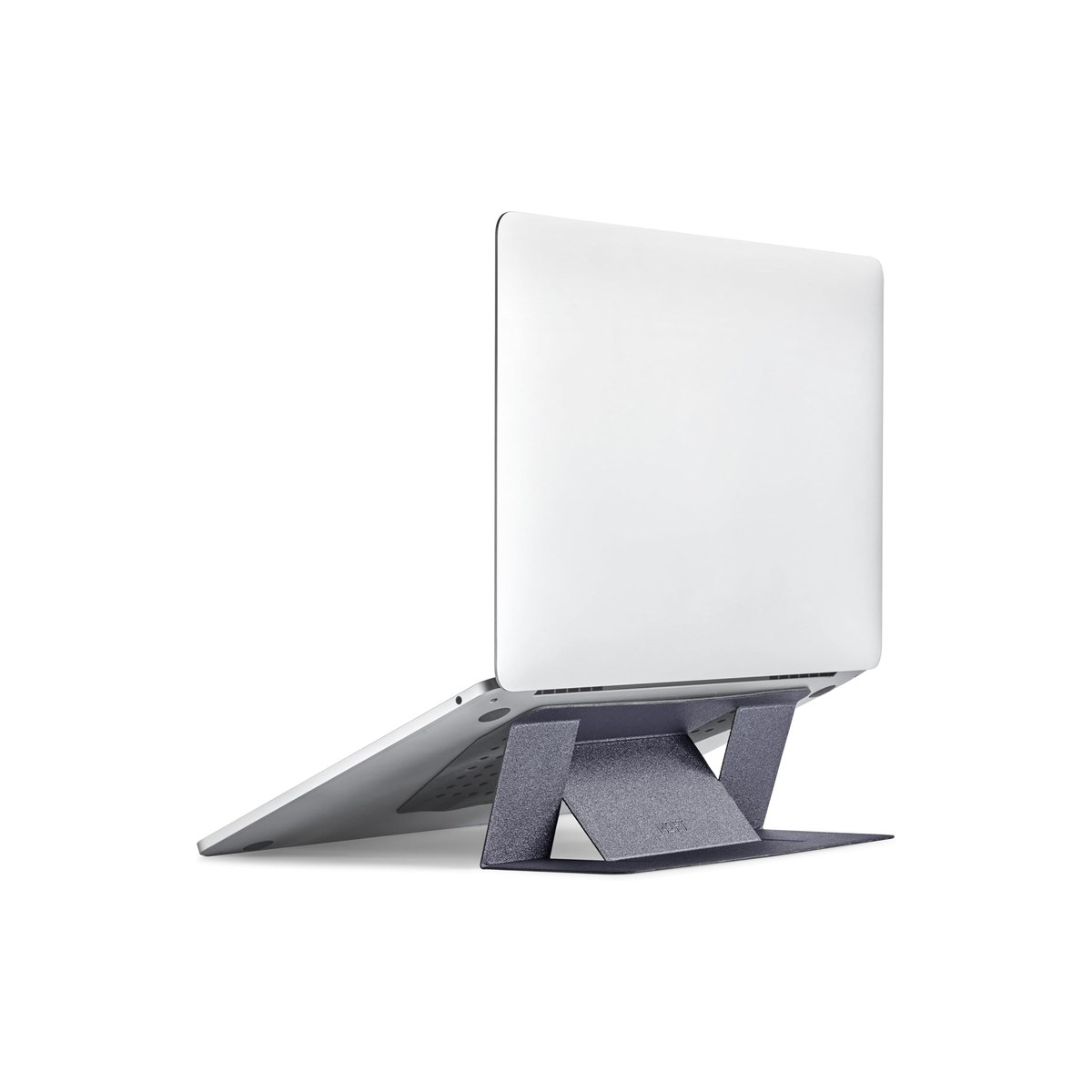
MOFT Laptop Stand (Adhesive)
A paper-thin sheet that sticks to the laptop and packs to nothing.
Who it's for: the ultralight traveler who refuses to carry a separate object, and wants a screen lift that lives on the laptop itself. The pick for the one-bag flyer or the cyclist-camper counting every gram, who needs a small lift for typing posture more than a full eye-level rise.
What we found: the MOFT is barely a thing you carry, a 0.1-inch, 3-ounce sheet that adheres to the bottom of the laptop and folds out into a low riser with two angles. It packs to literal nothing because it is always on the laptop, and for a slight lift that opens the shoulders and cools the underside it works well. The honest catches are real: it gives the least rise of anything here, not true eye level, and the adhesive can loosen over time, and a hot van dashboard or a damp boat is exactly the environment that degrades it fastest, which is part of why it carries the lowest rating in the lineup at 4.3 stars across about 4,100 reviews.
Bottom line: buy it for the lightest possible kit and a modest posture improvement, not for all-day eye-level ergonomics. If your neck is the problem, a real riser like the Nulaxy lifts far higher. Think of the MOFT as the stand you never pack because it never comes off the laptop.
Skip this guide if...
You already work on an external monitor, or you rarely use the laptop for more than a few minutes at a time. If your screen is a separate monitor at eye level, a laptop stand is redundant, and for quick email at a rest stop the hunch does not matter. A stand earns its place when you do real hours on the laptop's own screen and want to save your neck, and only when you can also bring an external keyboard and mouse.
Don't bother with.
- × Skip A laptop stand without an external keyboard and mouseThis is the mistake that wastes the whole purchase. Raising the screen to eye level puts the built-in keyboard at chest height, so you either reach up to type, which is worse for your shoulders than the hunch you started with, or you never raise it to eye level at all. A stand is half of an ergonomic setup; the other half is a keyboard and mouse at elbow height. Budget for both, or skip the stand.
- × Skip A bulky desk riser for a rig you pack up dailyThe heavy fixed risers and the rolling or standing-desk stands are great in a house, but they are dead weight in a van or boat where every item earns its space. For a rig, the axis that matters is fold size and weight, a baton-folding Roost or a flat-folding Nulaxy, not a five-pound desk monument. Match the stand to a life where the desk gets broken down, not to a stationary office.
- × Skip A cooling stand with loud fans as your travel standCooling laptop stands with built-in fans sell well for gaming desks, but the fans draw power, add noise in a quiet cabin, and add bulk for a benefit a plain aluminum stand already delivers passively through an open frame that lets heat rise off the laptop. Off-grid the fan also pulls from your battery for no real gain. Get an open aluminum riser and let physics do the cooling.
How we picked.
How we picked, and why we don't claim to test
We don't run a lab. We read the owner-review signal across Amazon and the manufacturer spec sheets, weighted for the mobile worker rather than the office user, and ranked five stands by the three things that decide whether one earns its space in a rig: how high it lifts the screen toward eye level, how small and light it packs, and how steady it sits under a real laptop on a table that moves. We verified every pick was in stock with a current price the day we published. We did not include fixed sit-stand desk risers, because they do not pack down for a mobile rig; if you work at a permanent desk, that is a different guide.
The eye-level rule, and the keyboard you also need
The point of a laptop stand is one thing: get the top of the screen to about eye level, 20 to 30 inches from your face, so you stop tilting your head down all day. But raising the screen creates a second problem, the built-in keyboard rises with it, out of reach for comfortable typing. The fix is not optional, it is an external keyboard and mouse at elbow height with the screen up on the stand. A stand on its own just trades a neck hunch for a shoulder shrug, which is why we treat a compact Bluetooth keyboard and mouse as part of the real cost of going to a stand.
The second axis is portability, the one the generic roundups ignore. In a rig a stand is something you pack, set up at the dinette, and break down, so fold size, weight, and how steady it sits on a table that rocks matter more than half an inch of extra height. The aluminum risers, the Nulaxy and the Lamicall, fold flat-ish and sit sturdiest; the Roost folds to a baton for the smallest pack; the MOFT lives on the laptop and packs to nothing but lifts the least. Match the fold to how often you actually move.
One thing a laptop stand is not: a lap desk. A lap desk is a padded surface that gives you a flat, cool base for the laptop on your lap or a soft seat; a laptop stand raises the screen for posture and needs a table under it. They solve different problems and work well together, the lap desk for the surface and the stand plus a keyboard for the eye-level screen. Our lap desk guide covers the surface side.
What our scores mean, and a note on the picks
Our scores reflect how consistent the owner signal is, weighted for mobile use, not lab measurements. Two honest notes on the ranking. The ivoler rates on far more reviews than the top pick (more than 27,000 versus 16,000) and costs half as much, but it sits at number three on stability and size range, not material, since both are aluminum: the Nulaxy's dual-rod frame is steadier under a heavy laptop on a moving table and takes a 17-inch machine where the lighter single-hinge ivoler tops out near 15.6 inches, and it rates a touch higher, so it earns the top slot while the ivoler is the rock-bottom value pick for a normal-size laptop. And the MOFT carries the lowest rating here, 4.3, because its adhesive can loosen and it lifts the least, so we rank it last and frame it as the packs-to-nothing pick rather than an all-day stand. We name the cheaper or sturdier alternative on every pick so brand is never the reason to buy.
FAQs.
Q01 Does a laptop stand actually help your posture?
+
Q02 Do I need an external keyboard with a laptop stand?
+
Q03 What is the best portable laptop stand for travel?
+
Q04 Can I use a laptop stand in bed or in a van bunk?
+
Q05 Will a laptop stand fit a 16 or 17-inch MacBook Pro?
+
Q06 What is a vertical laptop stand, and do I want one?
+
Q07 Are foldable aluminum laptop stands sturdy enough?
+
Q08 Laptop stand or portable monitor for the rig?
+
If you, then this.
- IF you want one sturdy, cheap stand that lifts the screen and folds flatGET Nulaxy Aluminum Laptop Stand$20 →
- IF you count grams and want the smallest-folding, highest-lifting standGET Roost V3$90 →
- IF you want the cheapest way to eye level for a normal laptopGET ivoler 6-Angle Stand$10 →
- IF you run a big, heavy 17-inch laptop at a fixed rig deskGET Lamicall Adjustable Stand$36 →
- IF you want the lightest kit and a small lift that lives on the laptopGET MOFT Adhesive Stand$25 →
Work-from-Anywhere Gear: The Complete Guide
The whole mobile-office picture →Every system in a work-from-anywhere setup, organized in one place, with the foundation every remote worker needs and the one guide we trust for each.
- Computer Workstations eTool: Monitors (screen at eye level) · U.S. OSHA
- Laptop ergonomics: raise the screen, add an external keyboard · UC Berkeley University Health Services