Best Travel Keyboards & Mice: The 6 We'd Pack for a Van, RV, or Boat (2026)
Raise a laptop to eye level on a stand and you fix your neck, but the built-in keyboard rises out of reach with it, so a real setup needs an external keyboard and mouse at elbow height. In a van, RV, or boat that keyboard also has to pack flat for a dinette drawer and switch over Bluetooth between your laptop, tablet, and phone. That points at foldable keyboards, slim compacts, and a small travel mouse. We don't run a lab. We read the owner-review signal across Amazon and the manufacturer specs for 2026, weighted for the mobile worker, and ranked six from a $23 travel mouse to an $80 keyboard with a built-in cover. Our top pick alone carries more than 3,300 owner reviews. We weigh how flat each one packs, how it really types, and how many devices it pairs with, and we name what each is for.
- 01 ProtoArc XK01 , top pick, a full 105-key tri-fold that folds to phone size
- 02 Pebble Keys 2 K380s , best typing, a slim compact with no fold seam to learn
- 03 iClever BK03 , best budget foldable, the lightest tri-fold here
- 04 Logitech Keys-to-Go 2 , the most-recommended travel keyboard, with a built-in cover
- 05 ProtoArc XK01 TP , foldable with a built-in trackpad, so you skip the mouse
- 06 Pebble Mouse 2 M350s , the travel mouse: slim, silent, three-device, 4.6 stars
How they compare.
| Rank | Product | Best for | Price | Our score |
|---|---|---|---|---|
| 01 | ProtoArc XK01 (105-key tri-fold)
Top Pick
| Full layout that folds tiny | $39
Buy → | 8.8/10 |
| 02 | Logitech Pebble Keys 2 K380s | Best typing, no fold seam | $34
Buy → | 8.6/10 |
| 03 | iClever BK03 (light tri-fold) | Cheapest foldable | $36
Buy → | 8.5/10 |
| 04 | Logitech Keys-to-Go 2 | Built-in cover, most-recommended | $80
Buy → | 8.3/10 |
| 05 | ProtoArc XK01 TP (keyboard + trackpad) | Skip the mouse, tight spaces | $47
Buy → | 8.4/10 |
| 06 | Logitech Pebble Mouse 2 M350s | The companion travel mouse | $23
Buy → | 8.5/10 |
Prices are current Amazon prices at time of publication and can change. Scores reflect our editorial evaluation, not vendor input.
Our #1 pick: ProtoArc XK01 Foldable Bluetooth Keyboard.
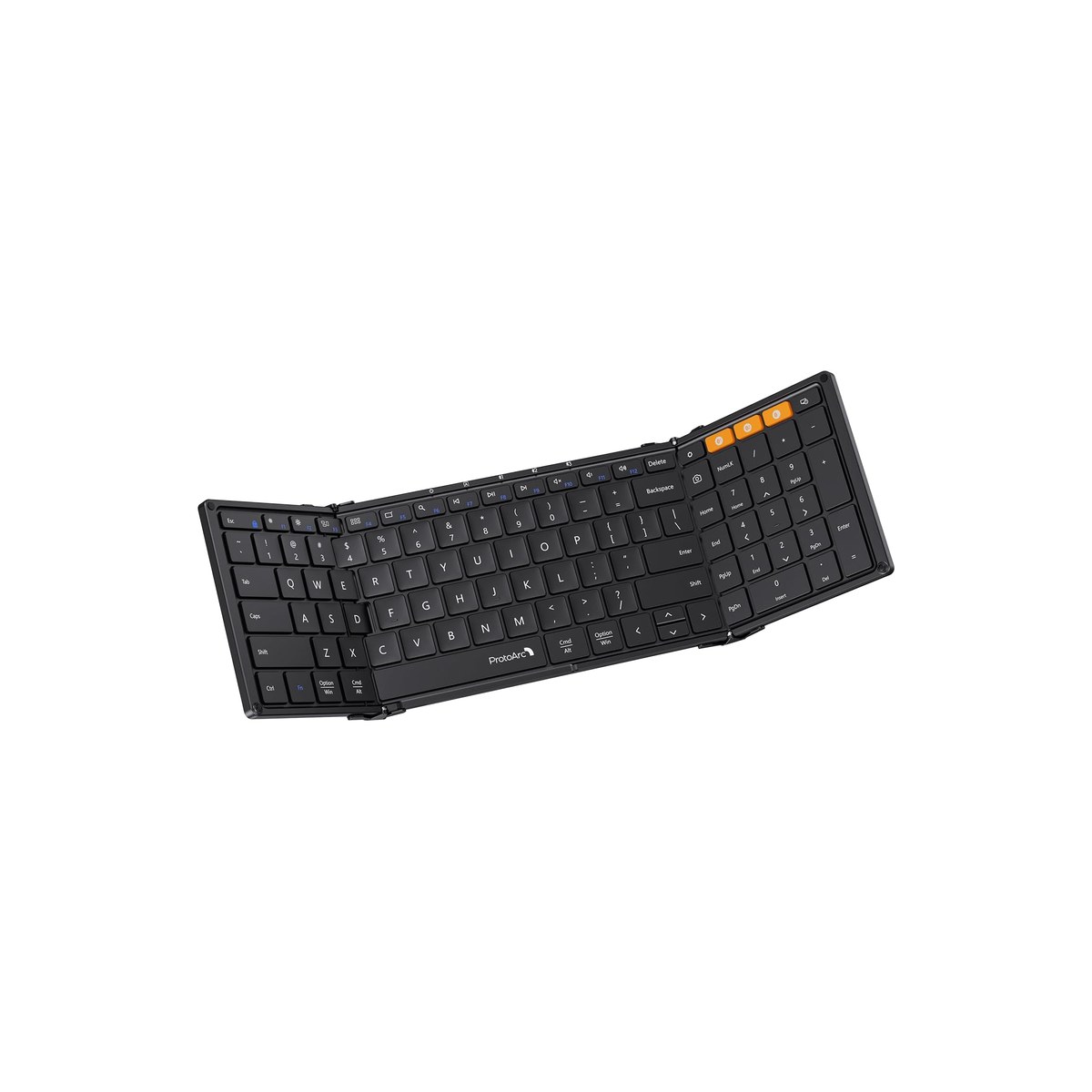
ProtoArc XK01 Foldable Bluetooth Keyboard
A full-size tri-fold that folds to phone size and types like a desk.
Who it's for: the van, RV, or boat worker who types real hours and refuses to give up a full keyboard to do it from a dinette. The pick for someone who pairs a keyboard with a laptop stand every day, wants the number pad and function row they have at home, and needs the whole thing to fold down into a drawer or a bag when the table goes back to being a table.
What we found: this is the rare foldable that does not shrink the layout to do it. It keeps a full 105-key desktop layout, number pad and all, yet folds to about eight by five inches on an aluminum hinge built to fold and refold for years. The quiet scissor keys feel close to a laptop, it pairs to three devices and switches with one button, and it recharges over USB-C with a standby measured in months. The honest catches: it sits dead flat with no tilt, there is no backlight on this model, and like every tri-fold a seam runs under your hands that takes a day to stop noticing.
Bottom line: if you want one keyboard that travels small but types like the one on your desk, this is it, and at around $39 across more than 3,300 reviews it is the most-proven foldable here. Pair it with the laptop stand it is meant to sit below and a small mouse, and your dinette becomes a real workstation. Step down to the iClever to save weight, or to the XK01 TP if you would rather skip the mouse.
- + Full 105-key desktop layout with a number pad, rare on a foldable
- + Folds to about eight by five inches on a durable aluminum hinge
- + Quiet scissor keys and 3-device Bluetooth 5.1 with one-button switching
- + 4.3 stars across more than 3,300 reviews, about $39
- × Sits dead flat with no tilt adjustment
- × No backlight on this model (the XK01 Plus adds it)
- × Like every tri-fold, a center seam under your hands takes a day to adjust to
Runner-up: Logitech Pebble Keys 2 K380s.
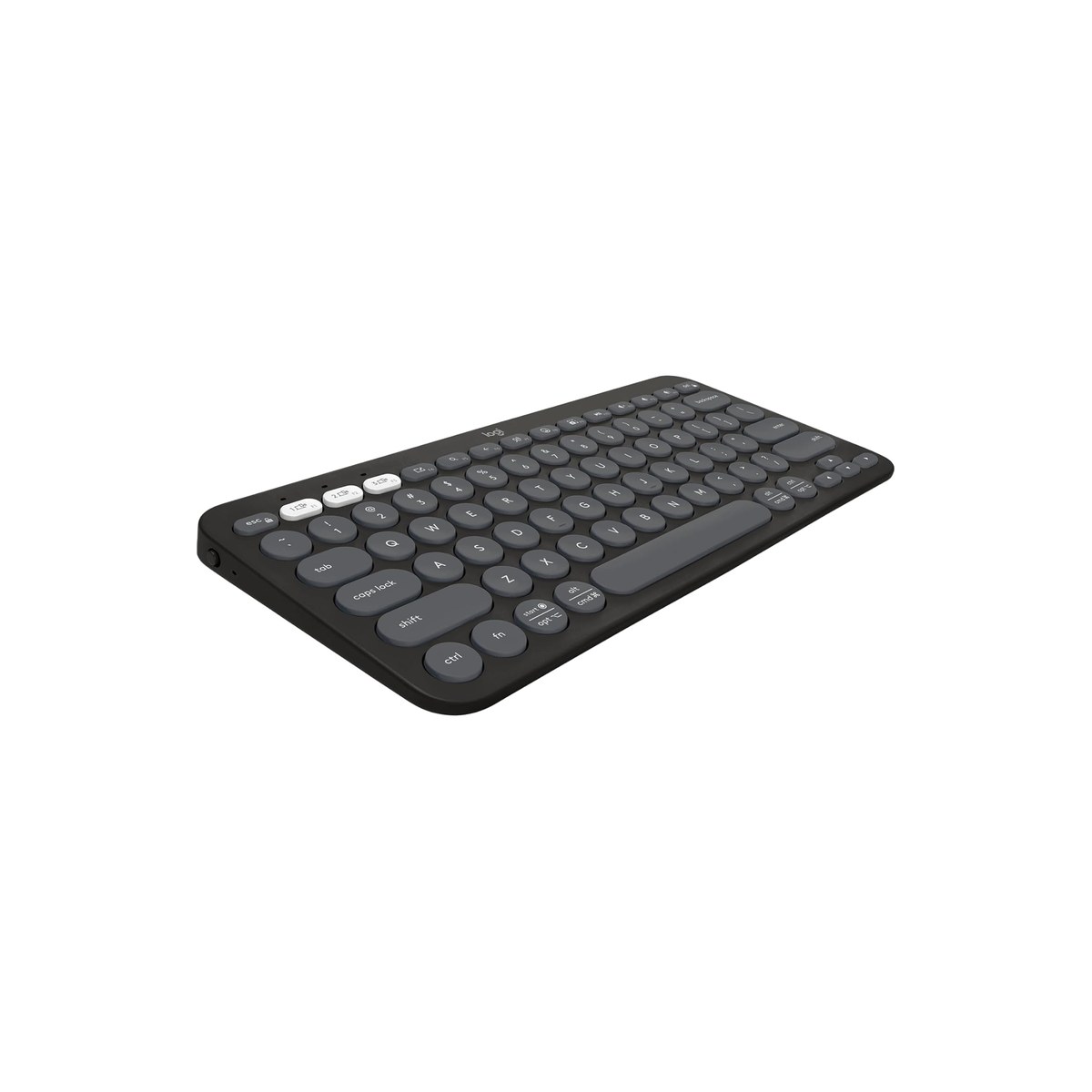
Logitech Pebble Keys 2 K380s
The slim compact that types best and never needs a center seam.
Who it's for: the worker who types all day and would trade a smaller pack for a keyboard that just feels right under the fingers. The pick for someone who lives in documents and email, hates the center seam and split layout of a folding board, and has room in a laptop sleeve for something slim even if it does not collapse to phone size. If typing comfort beats absolute pack size for you, start here.
What we found: this is the best-typing board in the lineup precisely because it does not fold. The scooped round keys feel familiar and laptop-like with no seam to learn, it switches across three devices with one press, and the shortcut keys customize in Logitech's app. It runs on two AAA cells that last about three years, so you never tether it to a cable, though you do swap batteries eventually instead of recharging. It is slim enough to slide into a laptop sleeve, just not into a pocket, and it shares the look of the Pebble mouse below if you want a matched set.
Bottom line: buy this when comfortable typing matters more than the smallest possible bag, which for a lot of full-time workers it does. At about $34 across more than 1,900 reviews it is the cheapest slim non-folding board here and the easiest to live with day to day. Go for the ProtoArc XK01 if you need it to fold to phone size, or step up to the Keys-to-Go 2 if you want a built-in protective cover, and add the Pebble mouse to finish the kit.
- + Best typing here: scooped laptop-like keys with no fold seam to learn
- + Slim and light, slips into a laptop sleeve
- + 3-device Easy-Switch across Windows, macOS, iPadOS, and Android
- + About 3-year AAA battery life, batteries included, about $34
- × Does not fold, so it has a bigger footprint than a tri-fold
- × Round keycaps are a slight adjustment for some typists
- × Runs on AAA cells rather than USB-C recharging
Budget pick: iClever BK03 Foldable Keyboard.
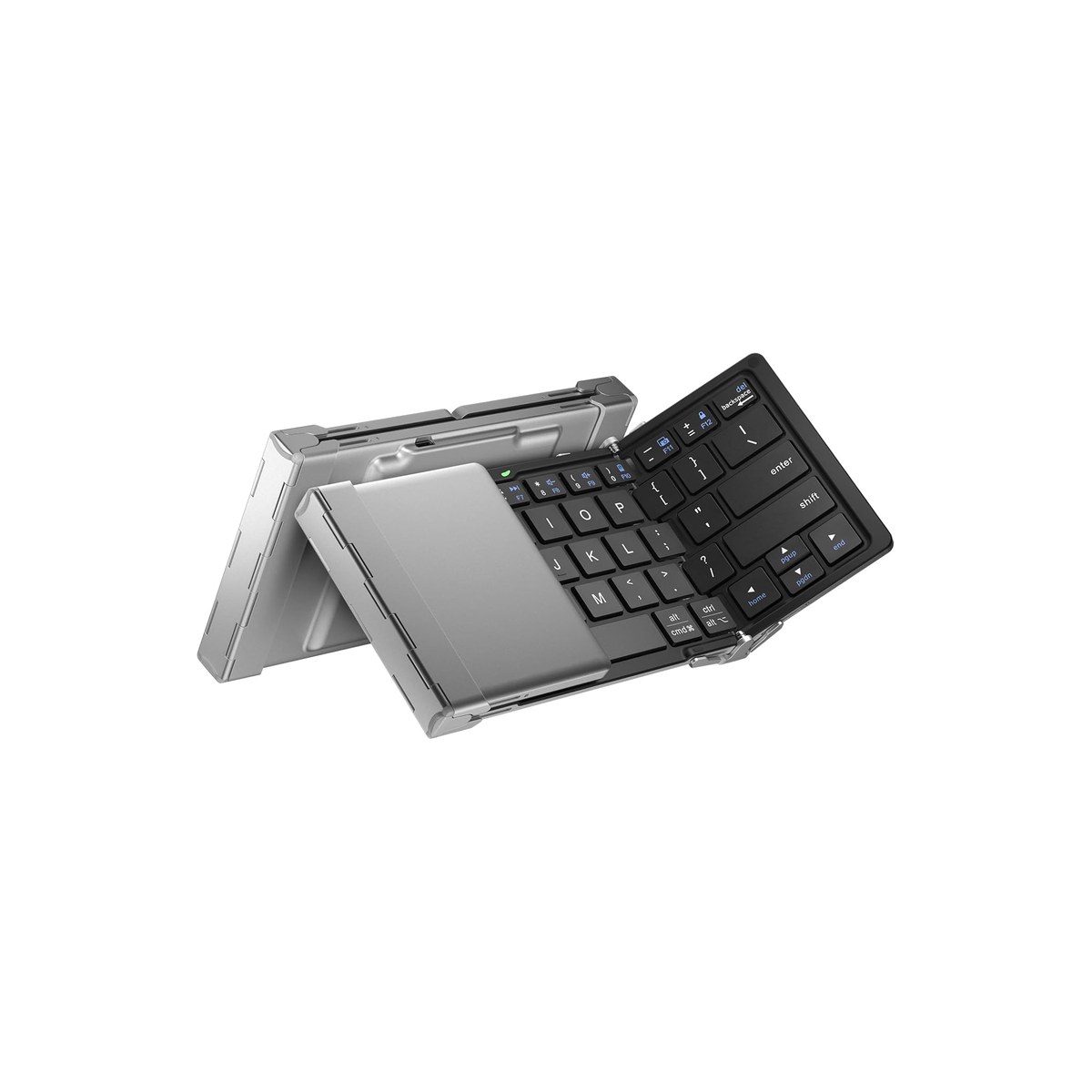
iClever BK03 Foldable Keyboard
The lightest tri-fold here, the cheapest way to fold a keyboard flat.
Who it's for: the worker who wants a foldable keyboard for the least money and the lightest pack, and can live with a smaller layout to get there. The pick for the weekender or the new full-timer testing whether an external keyboard even earns its drawer space before spending more, and for anyone who values ounces in a bag over a full-size key spacing they will adapt to anyway.
What we found: the iClever is the lightest keyboard here at about 6.3 ounces, a tri-fold aluminum board with silicone pads that grip a table that moves. It pairs to three devices and recharges over USB-C, and it has held a 4.4-star record across more than 3,000 reviews for years. The compromises are what make it cheap: the layout drops to 64 keys on slimmer 13-millimeter caps, the most cramped spacing in this guide and no number pad. Touch typists adapt, but it is a smaller target than the top pick, and at $36 it is the cheapest tri-fold here rather than the cheapest keyboard, since the non-folding Pebble Keys 2 K380s costs a couple of dollars less.
Bottom line: the value buy among the foldables, and the one to grab if folding small for the least money is what decides it. It does the core job, an external keyboard that folds tiny, for the lowest weight here, and the deep review record says owners stay happy. Spend up to the ProtoArc XK01 if you want the full layout, or get the K380s instead if you do not need it to fold, want to save a few dollars, and type better.
- + Lightest keyboard here at about 6.3 ounces
- + Tri-fold aluminum with silicone pads that grip a moving table
- + 3-device Bluetooth and USB-C rechargeable
- + 4.4 stars across more than 3,000 reviews, about $36
- × Cramped 64-key layout on 13 mm caps, no number pad
- × Smaller key target than the full-size ProtoArc XK01
- × Costs a few dollars more than the non-folding Pebble Keys 2 K380s
Also worth considering.
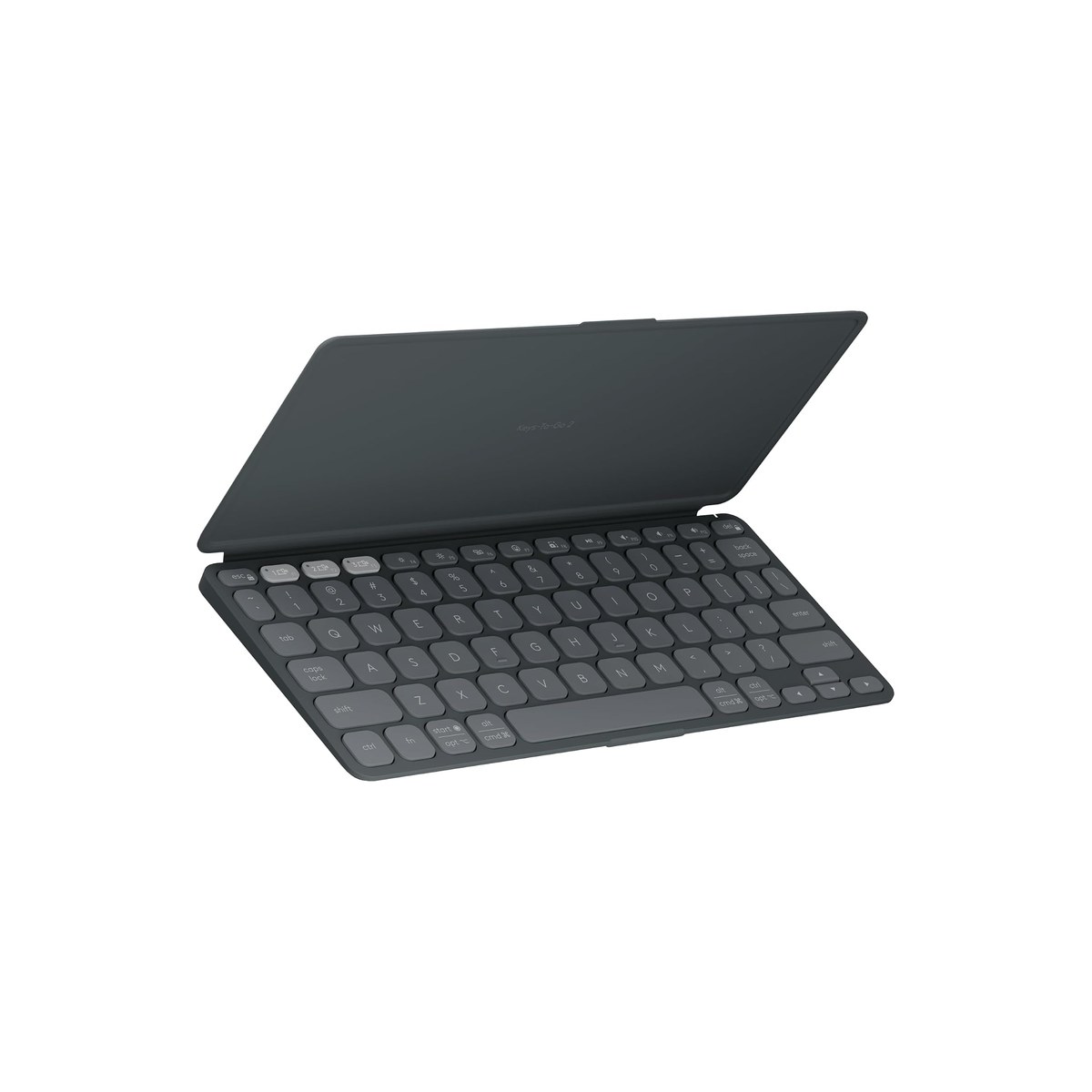
Logitech Keys-to-Go 2
The most-recommended travel keyboard, with a built-in protective cover.
Who it's for: the worker who wants a slim keyboard designed for travel from the ground up, not a desk board shrunk down, and will pay for a built-in cover that protects the keys in a bag that gets tossed around a rig. The pick for someone who packs and unpacks daily and wants the keyboard and its own protective case to be a single object.
What we found: this is the travel keyboard most 2026 roundups name first, and the reason is the design: a genuinely slim, light slab with a built-in cover that folds back into a typing stand, and scissor keys that type well for something this thin. It pairs to three devices and switches with a tap. Two honest catches keep it out of the top three here: owners rate it 4.1 stars, below every other keyboard in this guide, and at about $80 it is more than twice the price of the picks above it. It also does not fold, so the tri-folds still pack smaller.
Bottom line: buy it if you want the keyboard the rest of the internet recommends and value the built-in cover and travel-first design enough to pay for them. If you want the same slim, non-folding shape for less than half the price, the Pebble Keys 2 K380s is the value call; if you want the smallest possible pack, a tri-fold like the ProtoArc XK01 wins.
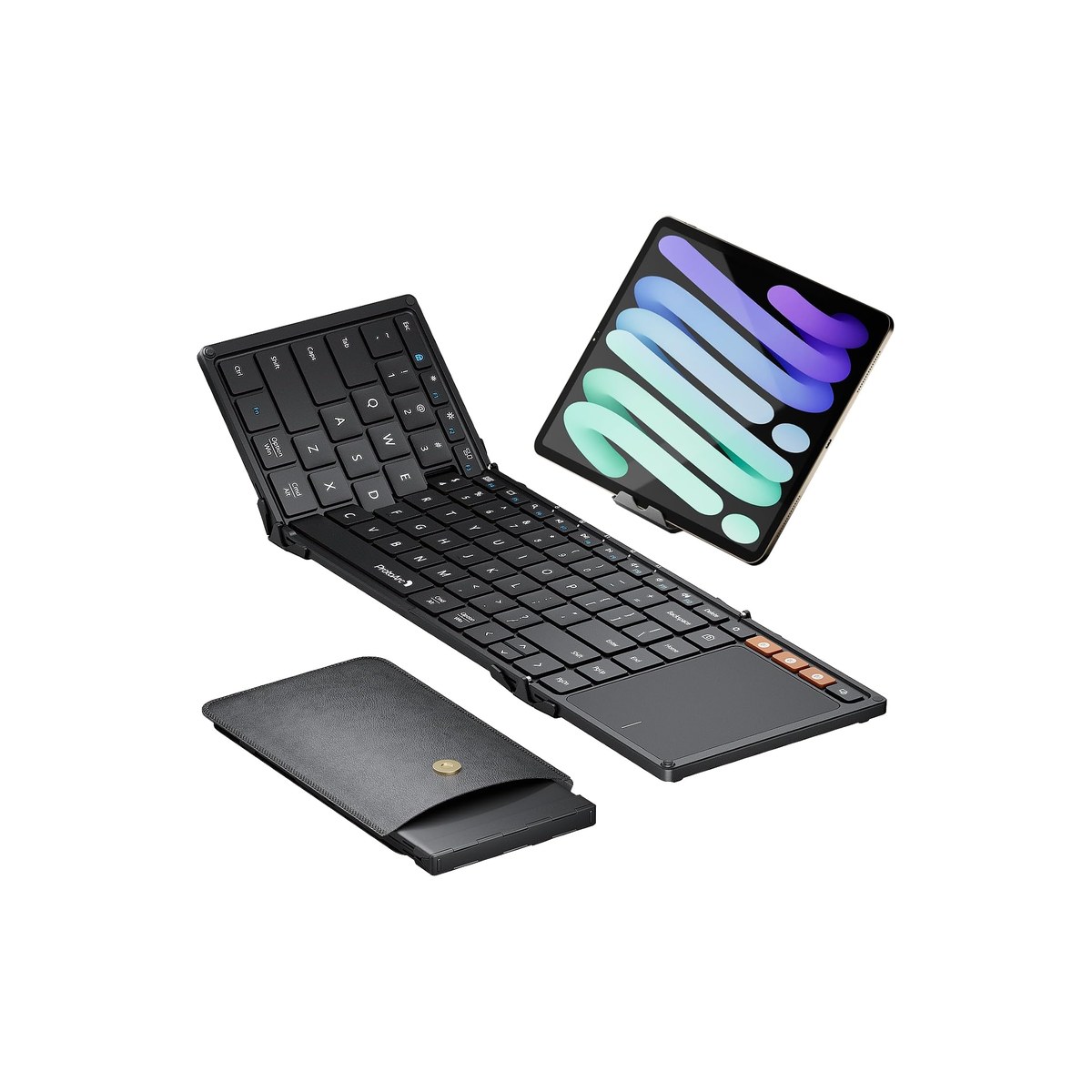
ProtoArc XK01 TP (Foldable Keyboard with Touchpad)
A foldable keyboard with a built-in trackpad, so you can skip the mouse.
Who it's for: the worker at a cramped dinette with no room to swing a mouse, who wants one object that does the job of two. The pick for tight spaces, a settee, a fold-down table, or an airline tray, where a separate mouse has nowhere to live and a built-in trackpad earns its keep, and who would rather carry one thing than a keyboard and a mouse.
What we found: it is the plain XK01's foldable body with a real multi-touch trackpad set below the keys, so the whole pointer lives on the keyboard. It folds to the same roughly eight-by-five inches, keeps three-device Bluetooth 5.1 and USB-C charging, and ships with a phone stand and a case. The tradeoffs are size and gestures: it is bigger and heavier than the plain XK01 at about 10.4 ounces unfolded, the trackpad handles taps and scrolls but not the full range of a real mouse, and on an iPad you have to turn on AssistiveTouch first.
Bottom line: buy it when space is the constraint and you would rather not pack a mouse at all. For about $47 it is the priciest keyboard here, but it replaces two items with one. If you have room for a mouse, the plain ProtoArc XK01 types the same for less, and the Pebble mouse adds a better pointer than any built-in pad.
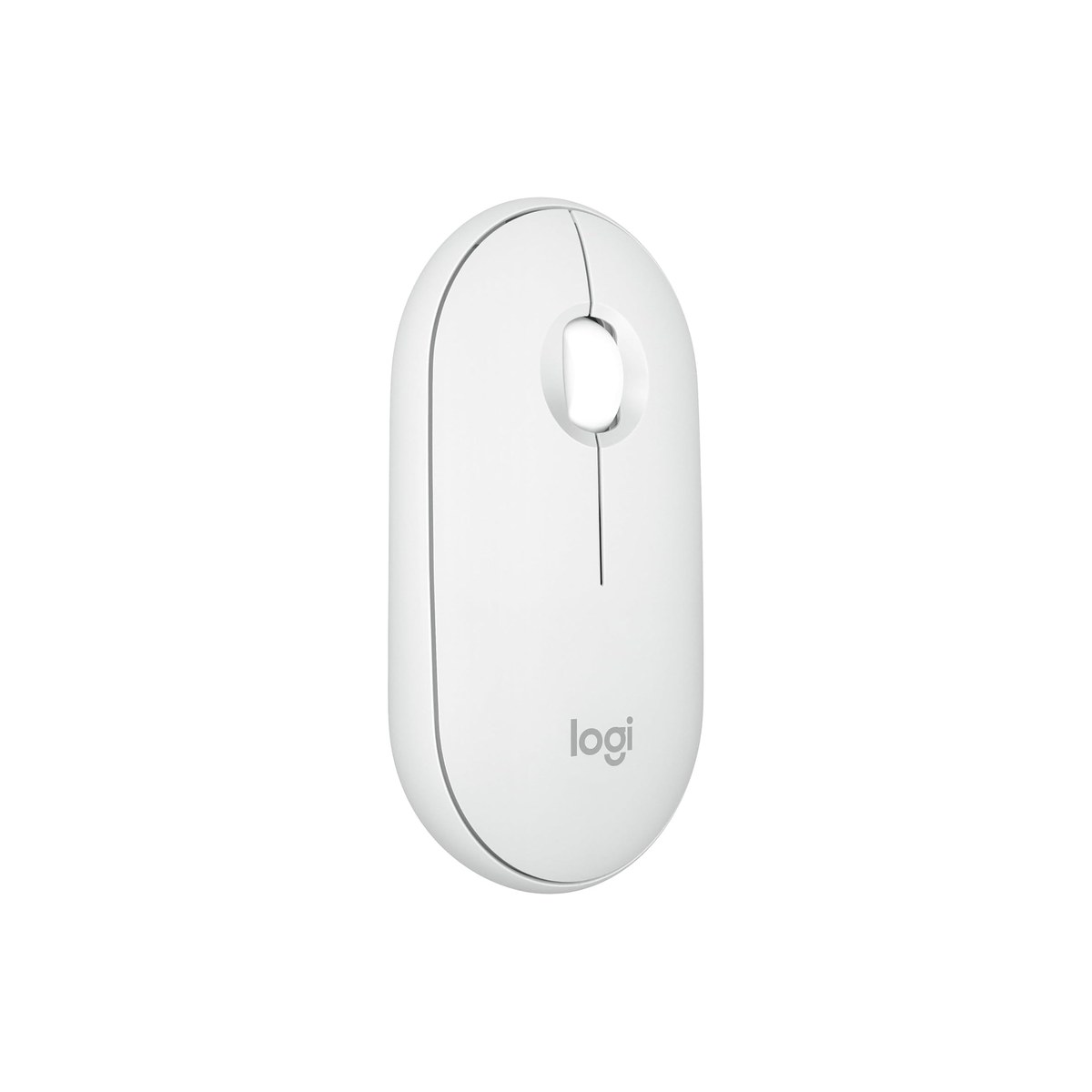
Logitech Pebble Mouse 2 M350s
A slim, silent travel mouse that pairs with three devices at once.
Who it's for: anyone pairing a non-touchpad keyboard who wants a proper pointer that still packs small. The pick for the worker who finds a trackpad fiddly for real work, who edits spreadsheets or photos and wants a real mouse under the hand, and who shares a quiet cabin where loud clicks late at night are not welcome.
What we found: a slim, light, round travel mouse that switches across three devices with a button and clicks almost silently, with Logitech's Silent Touch cutting about 90 percent of the noise. It runs about two years on a single AA, sleeps to save it, and matches the K380s if you want a set. The one honest limit is the budget optical sensor, which can skip on glass or high-gloss tables; if your rig's surfaces are unpredictable, step up to a Logitech MX Anywhere 3S, which tracks on glass.
Bottom line: the mouse to add to any keyboard here that does not have its own trackpad, and the highest-rated pick in this guide at 4.6 stars. At about $23 it is the cheapest thing here and the one most likely to just disappear into your kit. Skip it only if you went with the XK01 TP and its built-in trackpad is pointer enough.
Skip this guide if...
You already keep a full keyboard and mouse at a fixed rig desk and never move them, or you only use the laptop in short bursts. If your screen stays on a stand at a permanent dinette desk, a regular wireless keyboard and mouse are cheaper and more comfortable than travel-size gear. These picks earn their place when the keyboard has to pack down between sessions and travel light, and when you do enough real typing that the laptop's own keyboard at eye level is not an option.
Don't bother with.
- × Skip A full-size mechanical keyboard for a rigMechanical keyboards feel great at a home desk, but they are heavy, bulky, and tall, exactly wrong for a drawer in a van or a locker on a boat, and the clack carries in a small cabin at night. A low-profile scissor or membrane travel board packs flat, runs for months on a charge or a set of cells, and types quietly enough for a shared space. Save the mechanical for the house.
- × Skip The cheapest no-name foldable with no reviewsFoldables live or die on the hinge and the Bluetooth chip, and the sub-$20 listings with a handful of reviews are where both fail first: a hinge that loosens, a connection that drops mid-sentence. The picks here are the ones with thousands of reviews and years on the market for a reason. A keyboard you fight is worse than no keyboard, so spend the extra ten dollars on a proven one.
- × Skip A keyboard with no multi-device switchingA single-pairing travel keyboard means re-pairing every time you move from the laptop to the tablet to the phone, which is exactly the friction a nomad setup is supposed to remove. Every keyboard in this guide pairs to three devices and switches with one button, the feature that makes one small board serve a whole mobile office. Treat multi-device Bluetooth as a requirement, not a bonus.
How we picked.
How we picked, and why we don't claim to test
We don't run a lab. We read the owner-review signal across Amazon and the manufacturer spec sheets, weighted for the mobile worker rather than the office desk, and ranked six by the three things that decide whether a keyboard earns drawer space in a rig: how flat and light it packs, how it actually types once the novelty wears off, and how many devices it pairs with. We verified every pick was in stock with a current price the day we published. We left out full-size and mechanical boards and heavier desk compacts like the Logitech MX Keys Mini and the Apple Magic Keyboard, because they do not pack down or run cleanly across Windows, macOS, and Android the way a mobile setup needs; if you work at a permanent desk, that is a different guide.
The pack-size vs typing-feel rule, and the pointer you also need
The one tradeoff that decides a travel keyboard is pack size against typing feel, and no listing says it out loud. A tri-fold like the ProtoArc XK01 or the iClever collapses to phone size, which is unbeatable for a bag, but every tri-fold puts a center seam and a split layout under your hands that takes about a day to stop noticing. A slim compact like the Pebble Keys 2 K380s does not shrink as much but types with no seam to learn, closer to the laptop you already know. Pick the fold only if pack size truly rules; otherwise the compact is the more comfortable daily driver.
A keyboard is only half the setup a laptop stand needs. Raising the screen to eye level lifts the built-in trackpad out of reach too, so you want a pointer at the desk. Two ways to get one: a small travel mouse like the Pebble Mouse 2, or a foldable keyboard with touchpad like the XK01 TP that skips the separate mouse entirely. In a cramped rig with no room to swing a mouse, the built-in trackpad wins; if you do real pointer work, a proper mouse beats any thumb-sized pad.
Two specs separate a keyboard you forget about from one you fight. Multi-device Bluetooth, three channels with one-button switching, lets one portable bluetooth keyboard serve a laptop, a tablet, and a phone, and every pick here has it. Power splits two ways: USB-C rechargeable boards like the ProtoArc and iClever never need new cells but do need a cable now and then, while the Logitech picks run for years on AAA or AA cells you swap instead of recharging, which off-grid means one less thing competing for your charging ports.
What our scores mean, and a note on the picks
Our scores reflect how consistent the owner signal is, weighted for mobile use, not lab measurements. Three honest notes on the ranking. The iClever has a deeper review record than the runner-up and costs about the same, but it sits at number three because its cramped 64-key layout is a real compromise the slim Logitech avoids, so it is the value and weight pick rather than the comfort pick. The Logitech Keys-to-Go 2 is the keyboard most other 2026 roundups crown first, and its built-in cover is genuinely travel-smart, but we rank it as an also-pick rather than the runner-up because its 4.1 owner rating is the lowest of any keyboard here and it costs more than twice the picks above it; on an owner-signal method, it has to earn the slot, not inherit it from reputation. And the Pebble Mouse 2 carries the highest rating in the guide at 4.6 stars, but it is a mouse, not a keyboard, so it rides as an also-pick you add to whichever board you choose. We name the cheaper or more comfortable alternative on every pick so brand is never the reason to buy.
FAQs.
Q01 What is the best foldable keyboard for travel?
+
Q02 Do foldable keyboards feel weird to type on?
+
Q03 What is the best travel keyboard if I don't want it to fold?
+
Q04 Do I need an external keyboard with a laptop stand?
+
Q05 Is a foldable keyboard with touchpad worth it?
+
Q06 What is the best travel mouse to pair with a travel keyboard?
+
Q07 Can one portable bluetooth keyboard connect to my laptop, tablet, and phone?
+
Q08 Should I buy a travel keyboard and mouse together as a set?
+
If you, then this.
- IF you want a full-size keyboard that still folds to phone sizeGET ProtoArc XK01$39 →
- IF you type all day and want the best feel with no fold seamGET Logitech Pebble Keys 2 K380s$34 →
- IF you want the lightest, cheapest foldable keyboardGET iClever BK03$36 →
- IF you want a slim travel keyboard with a built-in protective coverGET Logitech Keys-to-Go 2$80 →
- IF you have no room for a mouse and want a keyboard with a trackpadGET ProtoArc XK01 TP$47 →
- IF you need a small, silent travel mouse to pair with any keyboardGET Logitech Pebble Mouse 2 M350s$23 →
Work-from-Anywhere Gear: The Complete Guide
The whole mobile-office picture →Every system in a work-from-anywhere setup, organized in one place, with the foundation every remote worker needs and the one guide we trust for each.
- Computer Workstations eTool: Keyboard/Input Device placement · U.S. OSHA
- Laptop ergonomics: add an external keyboard and mouse · UC Berkeley University Health Services